网络挂载磁盘 (iSCSi)
网络挂载磁盘 (iSCSI)
iSCSI is an IP-based standard for transferring data that supports host access by carrying SCSI commands over IP networks. The iSCSI standard is defined by RFC 3720. (iSCSI overview - IBM Documentation)
使用 iSCSI 可以将远程服务器上的存储设备映射为本地的一个块设备
服务端 (target)
查了一圈,没有找到在 windows 上开启 iSCSI target 的教程
安装与配置
-
安装
此时已经可以看到 iSCSI 服务启动了
-
配置 target
新建一个 target1.conf 文件
配置如下
<target iqn.2020-05.com:tianyi310.target1>
    # provided devicce as a iSCSI target
    backing-store /dev/sda1
    # iSCSI Initiator's IQN you allow to connect
    initiator-name iqn.2022-02.com:s3-pro
    initiator-name iqn.2022-02.com:ryzen5800x
    # authentication info ( set anyone you like for "username", "password" )
    #incominguser user password
</target>
<target iqn.2023-10.com:ryzen.target1>
     # provided devicce as a iSCSI target
     backing-store /dev/disk/by-id/scsi-0QEMU_QEMU_HARDDISK_drive-scsi4
     # iSCSI Initiator's IQN you allow to connect
     initiator-name iqn.2023-10.com:a1-win10
     # authentication info ( set anyone you like for "username", "password" )
     #incominguser user password
 </target>
其中 iqn.2020-05.com:tianyi310.target1 为 target 名称,有着规范的格式 iqn.1991-05.com.microsoft:kvm-win10
存储设备
backing-store /dev/sda1表示使用 sda1 作为存储设备(第一个磁盘 (sda) 上的第一个分区 (sda1))
支持的存储设备:
- 块设备
- 块设备上的一个分区
- 一个文件作为虚拟的块设备,如
#create folder and file
mkdir /var/lib/iscsi_disks
dd if=/dev/zero of=/var/lib/iscsi_disks/disk01.img count=0 bs=1 seek=10G
授权
为了简单,以上配置没有配置 authentication。几种常用授权方式:
- initiator-name:只允许指定 iqn 名称的 initiator
- initator-address:只允许指定 ip 的 initiator
- user, password:没试过
- 相互 CHAP 验证:开启后不知道怎么在 windows initiator 中对应设置,因此没试
- 重启 tgt 服务
- 查看 tgt 状态
应该可以看到关于 LUN0 和 LUN1 的配置,如果没有 LUN1 则再次重启下
客户端 (initiator)
连接
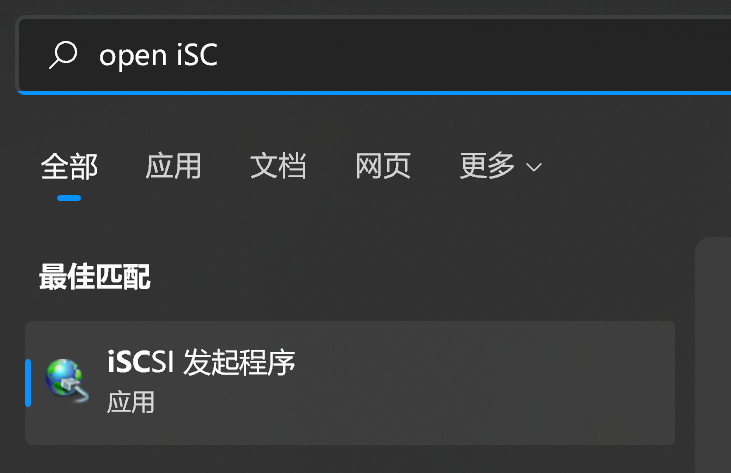
- 使用 windows 的搜索功能,搜索 open iSCSI。第一次打开可能会提示开启相关服务,确认即可
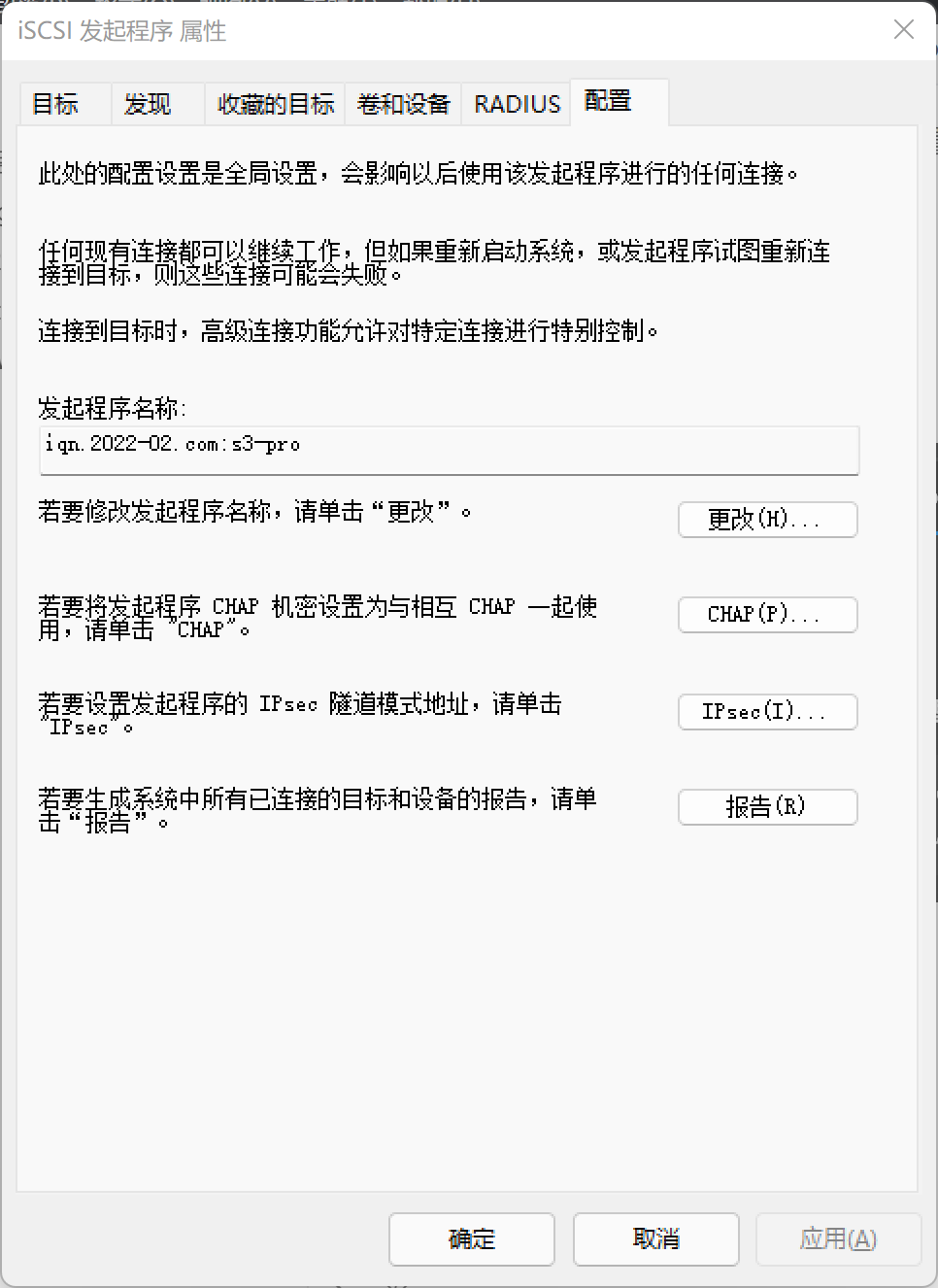
- 首先在配置栏修改掉默认的名称,注意区分大小写
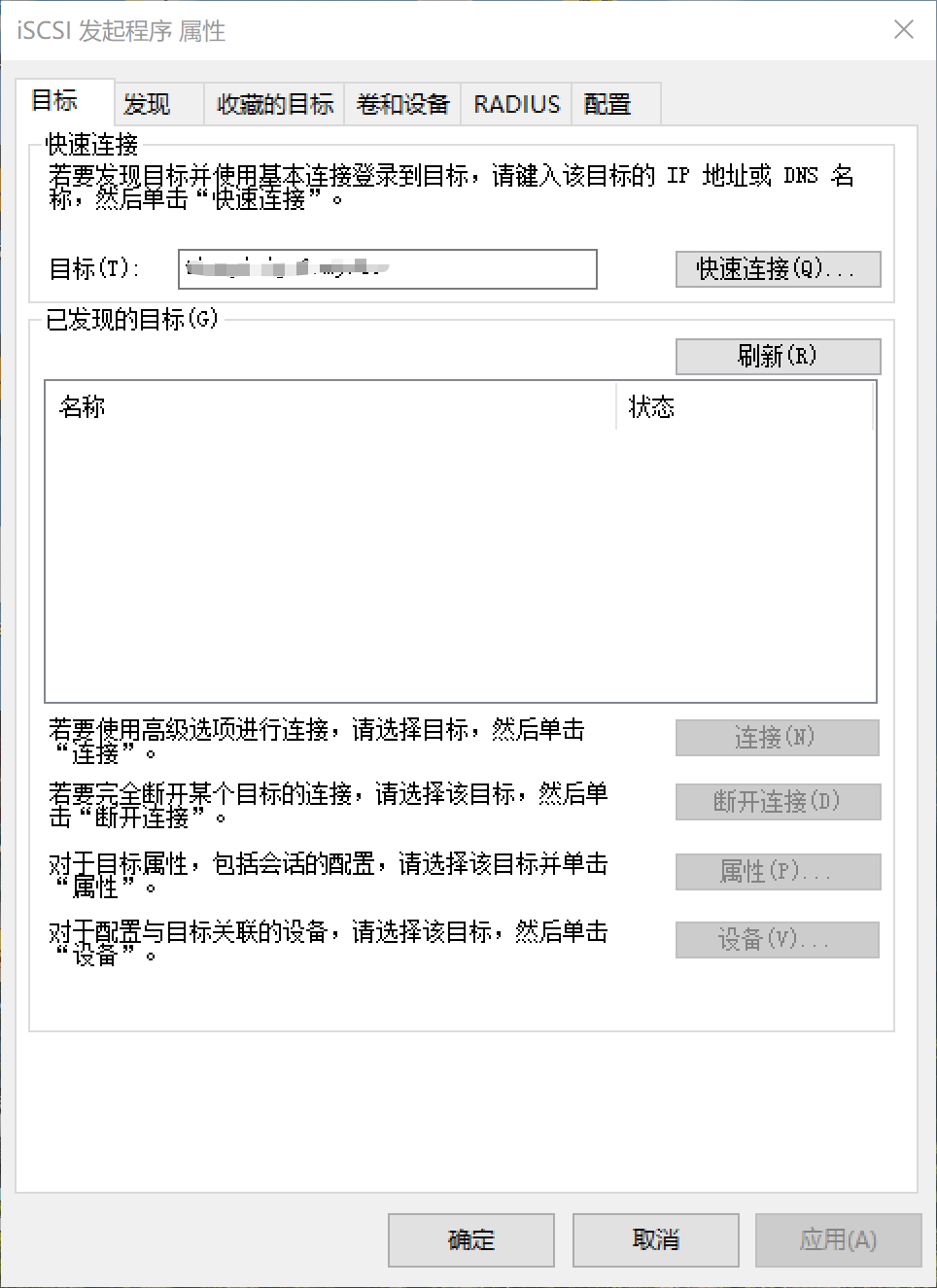
- 然后在目标栏中填入 ip 地址或域名(支持 ipv6),点击快速连接。
1. 如果连接成功后,目标会显示在已发现的目标中,可以断开连接,或下次再次连接
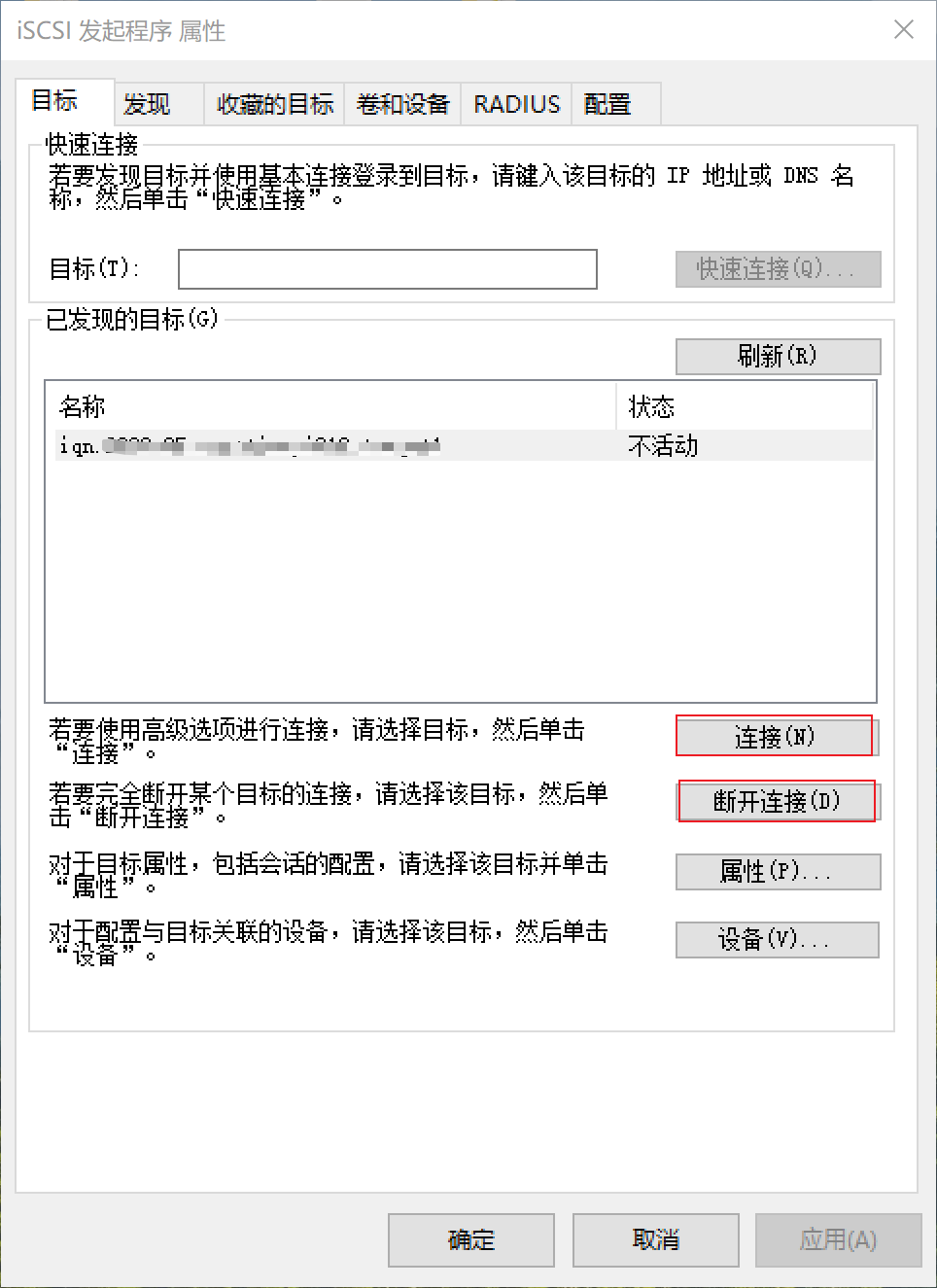
连接成功后,进入磁盘管理,便会出现一个没有使用的磁盘,格式化即可。
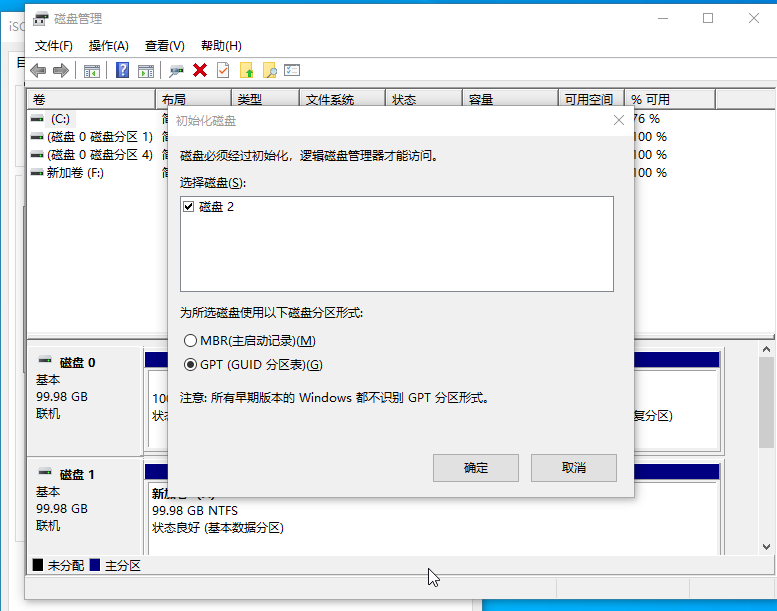
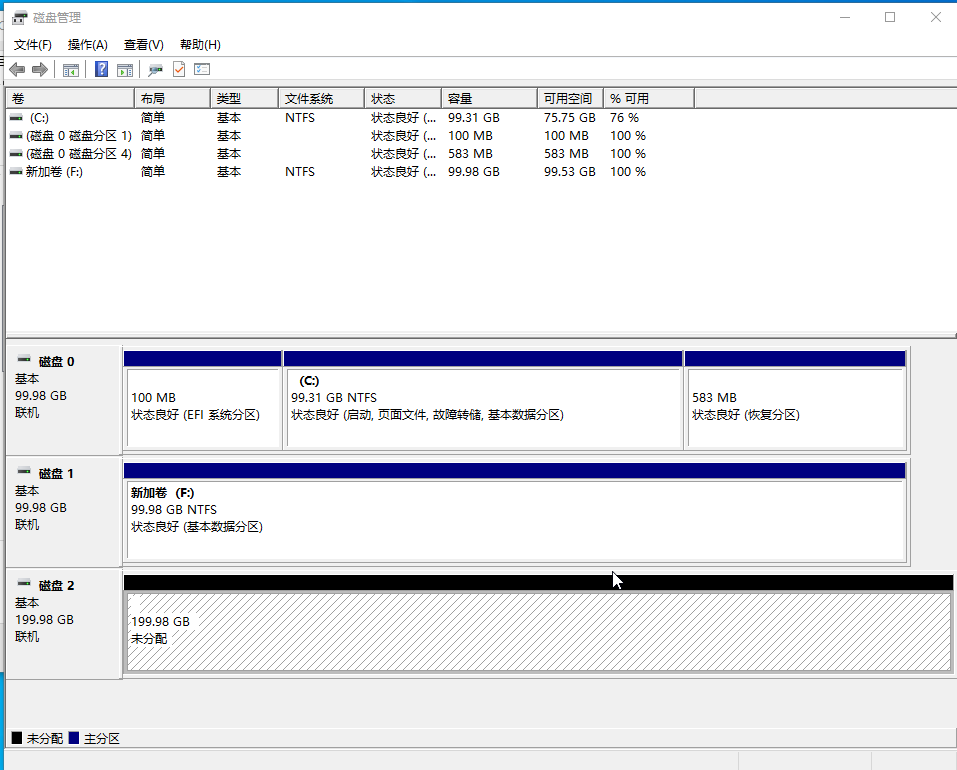
连接失败
找不到目标名称或从登录处标记为隐藏
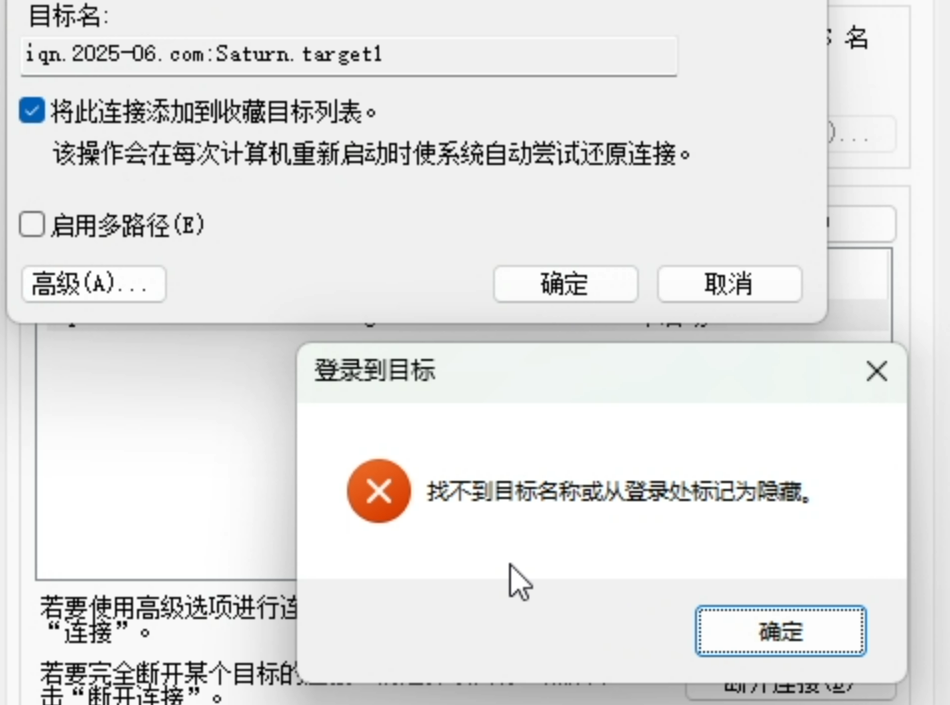
发现原因在于 SB winddows 不支持目标名中包含大写字母。改为 iqn.2025-06.com.saturn:01-pc-game 即可
由于会话上的某个设备当前正在使用,因此无法注销该会话
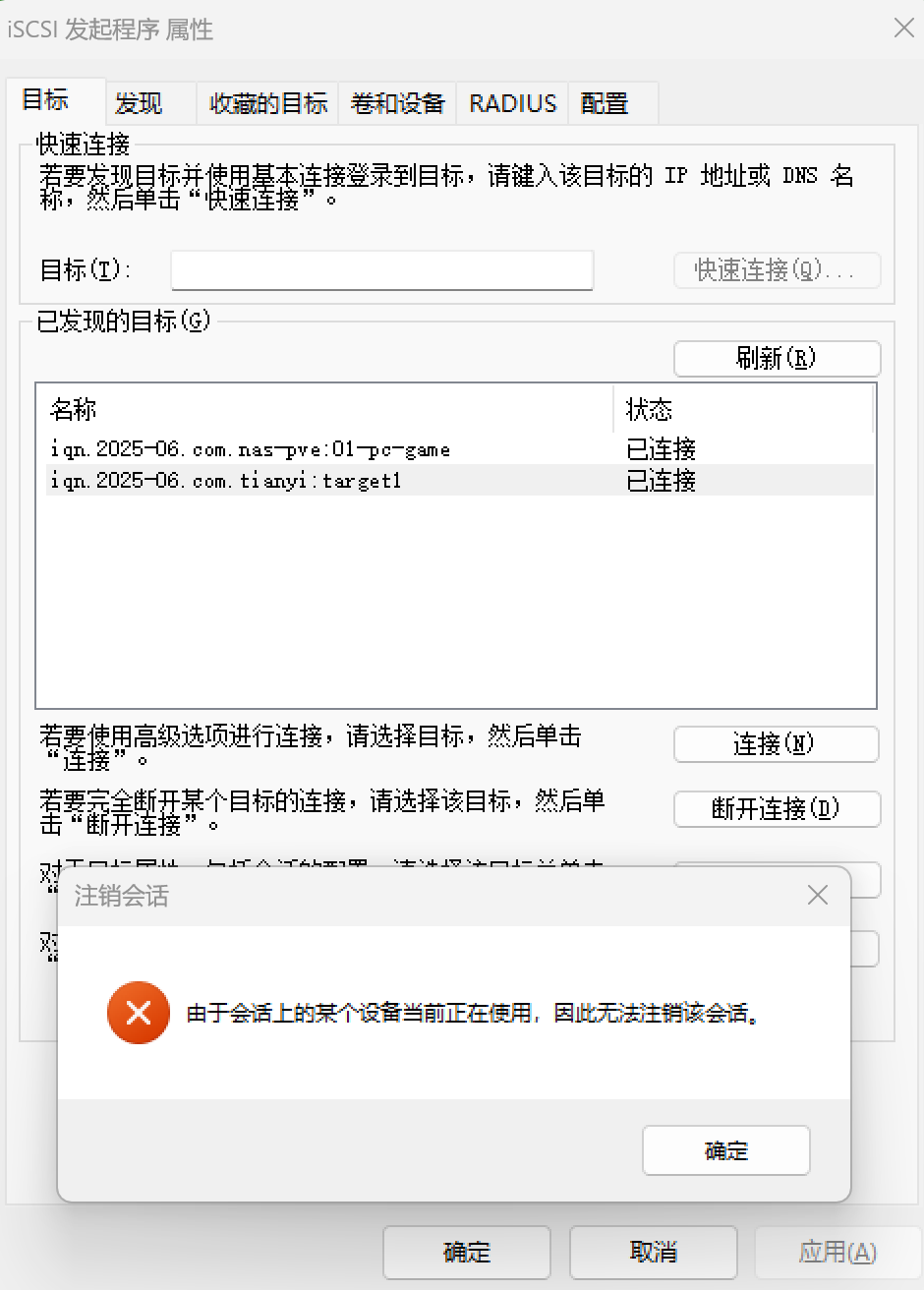
最 SB 的问题,以前用 iSCSI 就是因为这个问题而体验极差。
现在发现了解决办法,在设备管理器中,把虚拟磁盘卸载即可断开连接。
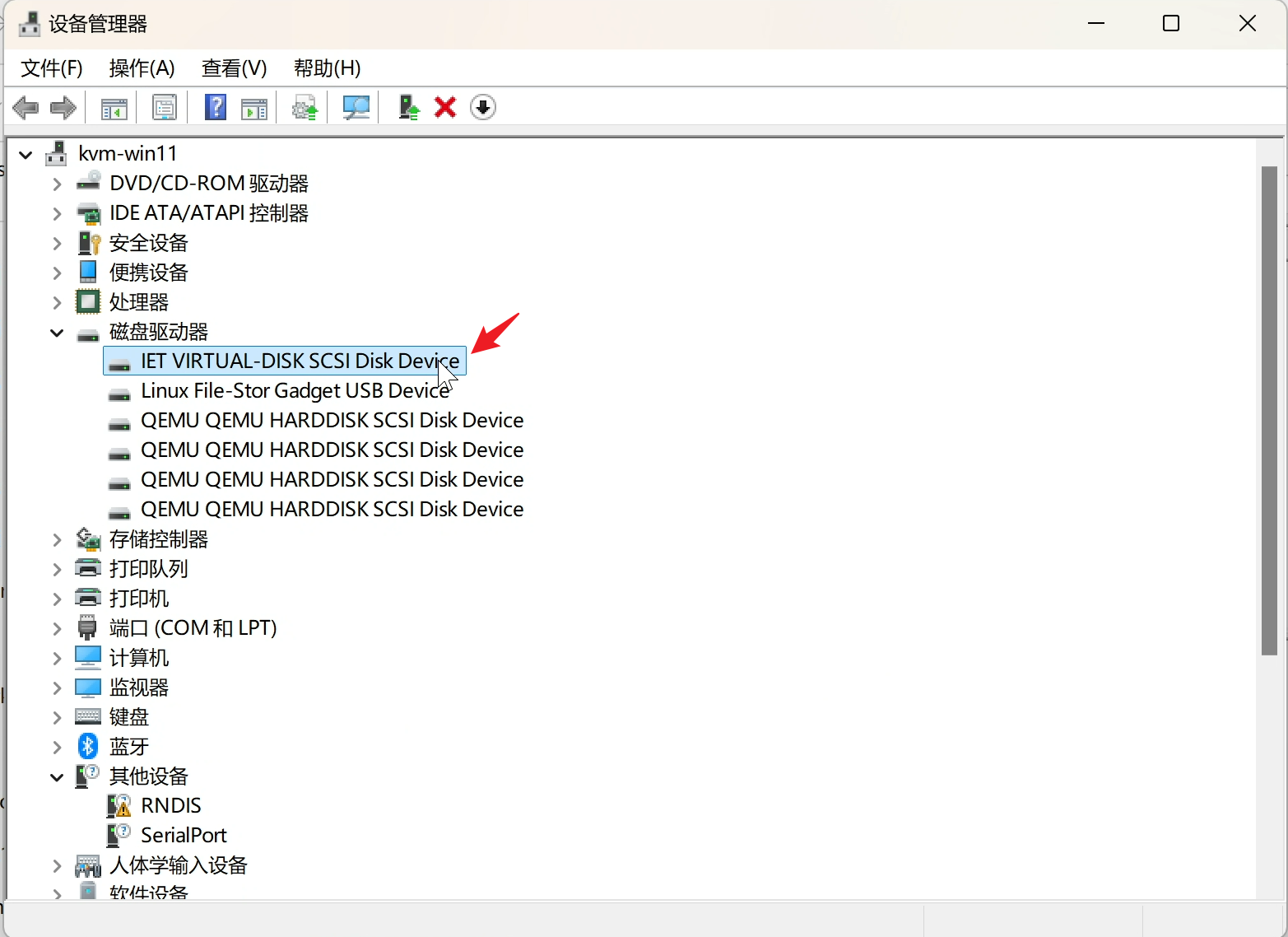
这个不是必要条件,有时候没有占用时可以正常断开。
只有 lun0 没有 lun1
连接后,没有磁盘
--op show --mode target 显示
root@nas-pve ➜  ~ tgtadm --lld iscsi --op show --mode target
Target 1: iqn.2025-06.com.saturn:01-pc-game
    System information:
        Driver: iscsi
        State: ready
    I_T nexus information:
        I_T nexus: 4
            Initiator: iqn.1991-05.com.microsoft:kvm-win11 alias: none
            Connection: 1
                IP Address: 192.168.35.6
    LUN information:
        LUN: 0
            Type: controller
            SCSI ID: IET     00010000
            SCSI SN: beaf10
            Size: 0 MB, Block size: 1
            Online: Yes
            Removable media: No
            Prevent removal: No
            Readonly: No
            SWP: No
            Thin-provisioning: No
            Backing store type: null
            Backing store path: None
            Backing store flags:
    Account information:
    ACL information:
        192.168.35.0/24
        192.168.36.0/24
        iqn.2022-02.com.microsoft:s3-pro
        iqn.1991-05.com.microsoft:kvm-win11
restart tgt 解决。 是不是 tgt 必须得在 zpool import 启动后再启动
其他
How can I troubleshoot iSCSI connection issues? (DSM 6.x) - Synology Knowledge Center
If the iSCSI Initiator cannot find an iSCSI target:
- In Windows iSCSI Initiator, go to
- Specify the network interface to use for iSCSI connections if you have more than one network interfaces on both the initiator and target.
- Make sure that Enable CHAP log on is not checked.
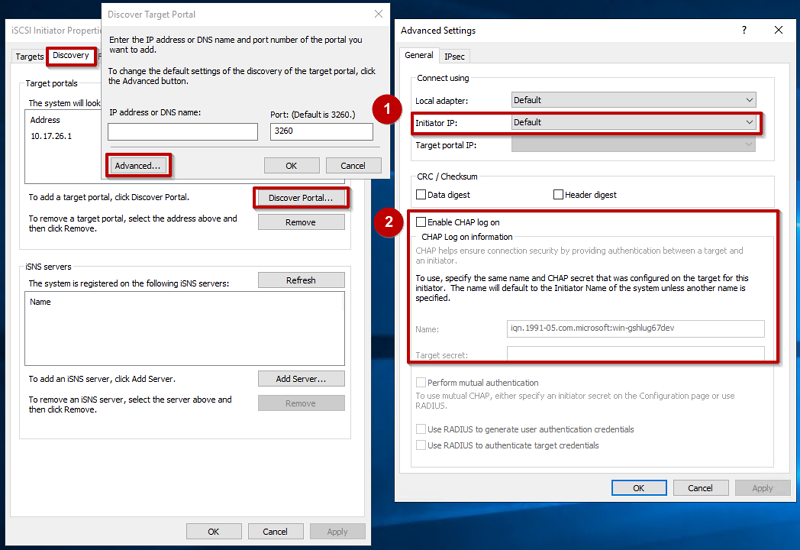
If the iSCSI Initiator finds an iSCSI target but fails to connect to it:
- Specify the network interface to use for iSCSI connections if you have more than one network interfaces on both the initiator and target.
- Make sure that you entered identical name and password on DSM as the Name and Target secret in Windows iSCSI Initiator.
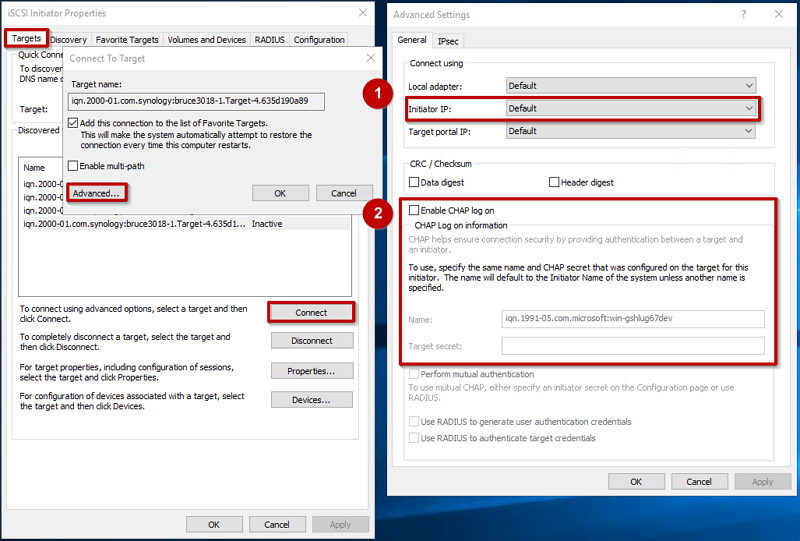
Linux 作为 client
iscsiadm -m discovery -t st -p 192.168.35.253
iscsiadm -m node -T iqn.2025-06.com:Saturn.01-pc-game -p 192.168.35.253 --login
第一次连接就成功了,甚至 tgt 设置中没有添加 linux 的连接名称,后面发现 tgtadmin show target 中,ACL 自带了一个 ALL。但是自己添加一些规则后,就默认不会有 ALL。
Windows iscsicli 命令行
其实逻辑和 GUI 的 iSCSI 启动程序一致
发现目标
添加目标门户 (即iSCSI服务器的地址)
发现该门户上的目标
登录目标
使用LoginTarget命令登录到特定目标
<TargetName>:目标的 IQN 名称(从ListTargets获取)*:表示使用默认值0:映射计数(不自定义 LUN 映射)
iscsicli LoginTarget iqn.1991-05.com.microsoft:target-name * 192.168.1.100 3260 * * * * * * * * * * * * * 0
快速登录
另外,也可以使用快速命令QAddTarget和QLoginTarget,它们简化了参数(但可能不够灵活)
iscsicli QAddTarget iqn.1991-05.com.microsoft:target-name 192.168.1.100
iscsicli QLoginTarget iqn.1991-05.com.microsoft:target-name
设置目标为自动连接
设置目标为自动连接(Persistent Login)
iscsicli PersistentLoginTarget iqn.1991-05.com.microsoft:target-name * 192.168.1.100 3260 * * * * * * * * * * * * * 0
登出目标
登出目标(Logout) 列出当前会话。输出中会包含会话ID(如0x400000001)。
登出
删除目标门户和持久化目标